

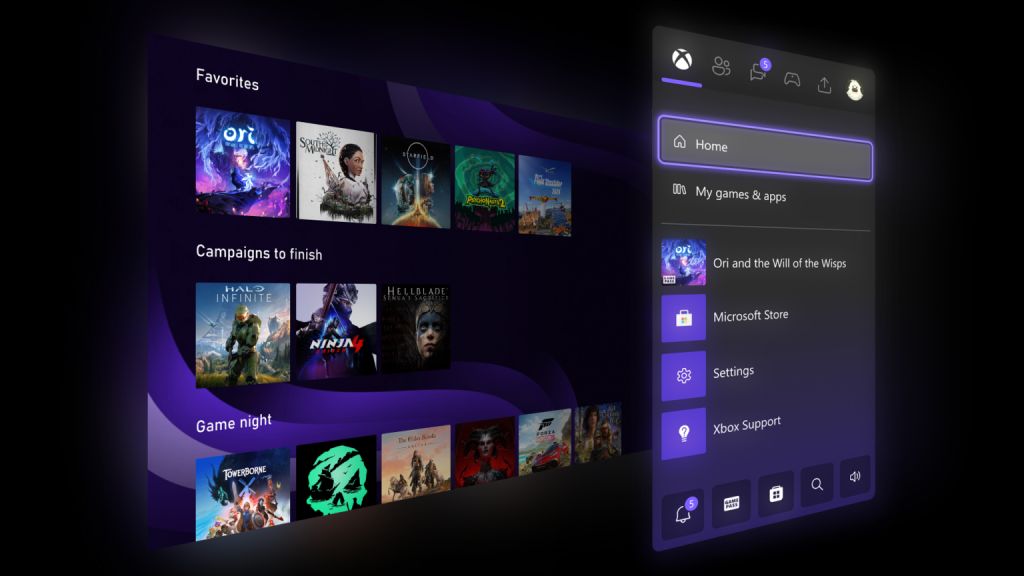
At Xbox, your feedback drives how we enhance the player experience. Starting today, select Xbox Insiders can test several highly requested updates coming soon to Xbox consoles. These features will gradually roll out to more Insiders and eventually to all players. We’re eager to hear your thoughts and will continue delivering the features you’ve been asking for throughout the year.
More Groups on Home
You asked for more ways to customize Home, and we listened. The number of groups you can add has increased from 2 to 10. Managing groups is now simpler, with reordering using the same intuitive method as arranging games on Home. Pinning groups from My Games & Apps is easier, and it’s now clearer which groups are already added.
Custom Color
We know personalization matters, so we’re introducing custom colors to let you express yourself across the console. Instead of being limited to the default system colors, you can now create a color that’s uniquely yours. Use the sliders to fine-tune the perfect hue and shade. A subtle splash of your chosen color will appear in your Guide, which you can turn off anytime in Settings > General > Personalization > Customize the guide.
To ensure everything looks polished across the console, a few guardrails are in place. If you switch back to a system color, your last custom selection is saved, making it easy to return later. Initially, custom colors will be visible to other Insiders, with a full rollout to everyone planned for the April update.
Quick Resume Settings
Quick Resume is one of Xbox’s most popular features, but we’ve heard that some games don’t always perform as expected, especially after long periods of inactivity. With this update, you can now disable Quick Resume for individual games, ensuring they always launch fresh.
To adjust this setting, open the More options menu on a game tile in the Quick Resume group and select Manage Quick Resume, or go to any game tile and choose Manage game and add-ons > Quick Resume settings.
Profile Badges in Guide
Profile badges showcase key moments and achievements in a player’s Xbox journey. With this update, when you view your own profile or another player’s profile in the Guide, you’ll see their five most recently unlocked badges, making it easier to spot accomplishments at a glance.
How to Get Xbox Insider Support and Share Feedback
We greatly appreciate the feedback from our Xbox Insiders—it helps shape the future of Xbox. If you need support as an Insider, join our community on the Xbox Insider subreddit, where official Xbox staff, moderators, and fellow Insiders are ready to help. Before creating a new post, check existing threads on the same topic—this helps us provide support more efficiently.
For more updates on the Xbox Insider Program, follow @XboxInsider on Twitter and keep an eye on this blog for the latest news.
About the Author